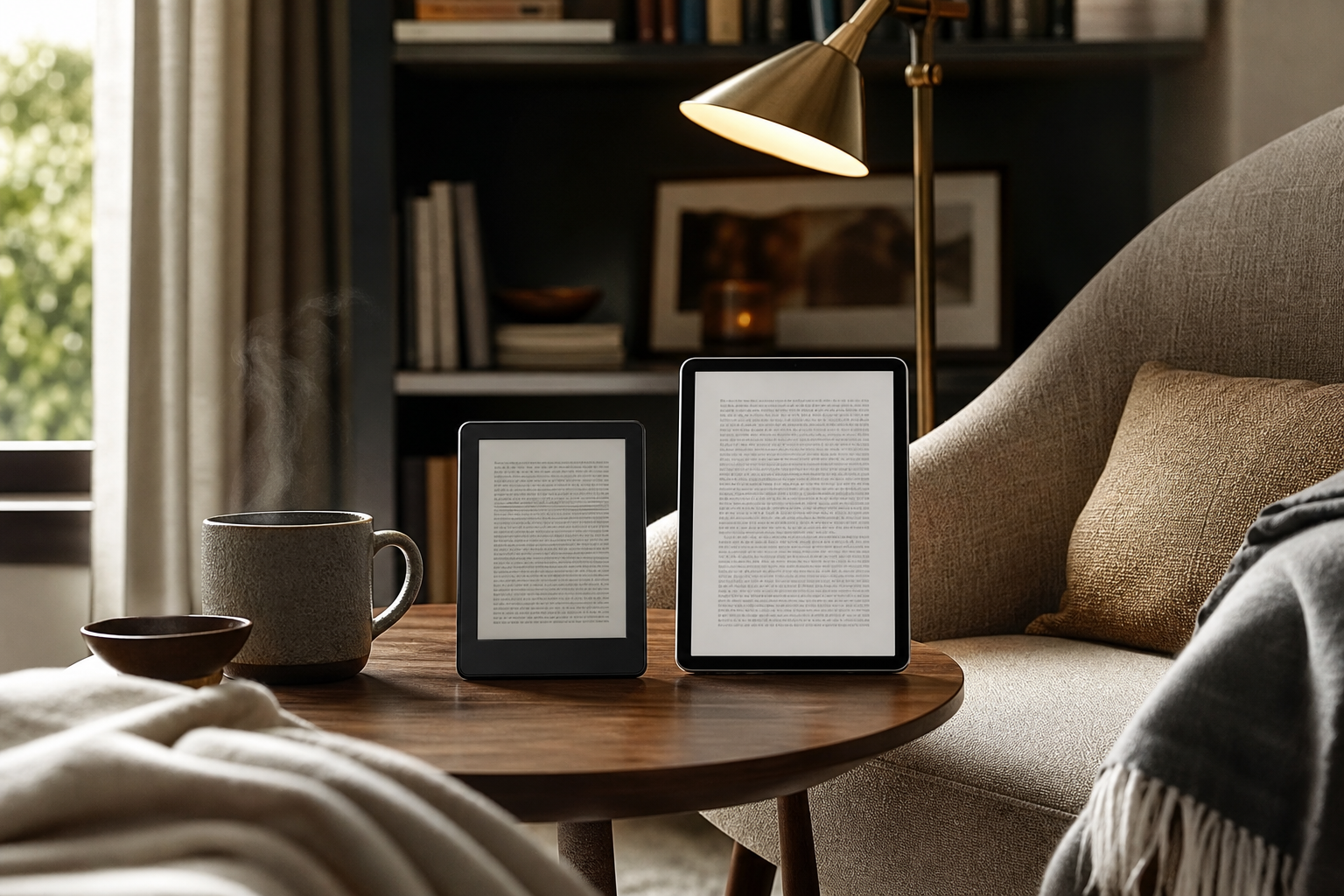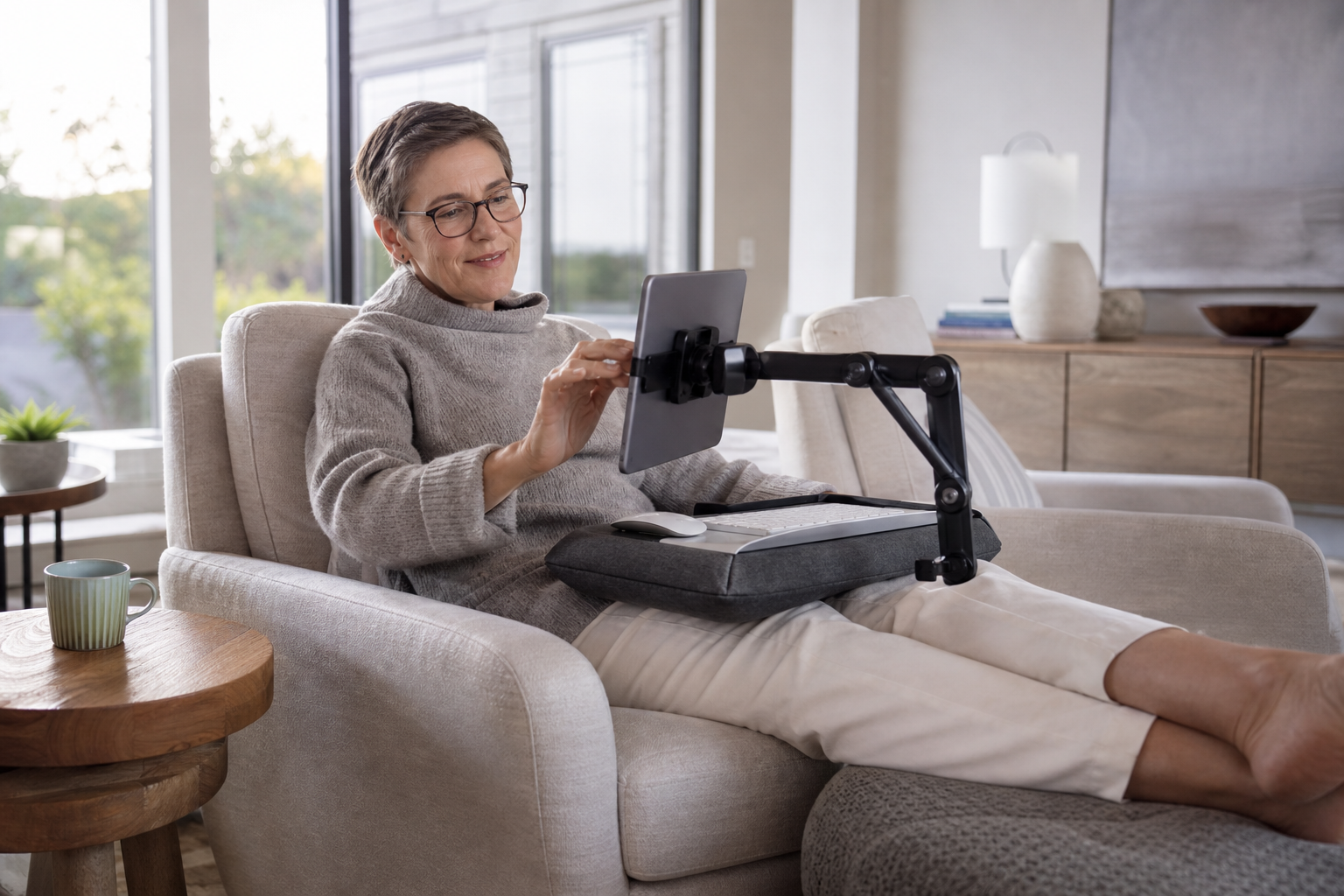
Choose an adjustable tablet stand if you spend most of your time reading, watching, joining video calls, or using a separate keyboard. Choose a lap desk if you want one portable platform for a tablet, notebook, keyboard, or mouse while sitting away from a conventional desk. For mixed use, a lap desk with an adjustable tablet stand or built-in device ledge can be the most flexible arrangement.
What Matters Most
Start with the job to be done
A tablet stand and a lap desk solve different problems. A stand positions the screen; a lap desk creates a small work surface. That distinction matters more than the labels. If your main frustration is holding the tablet or repeatedly propping it against books, a stand directly addresses the problem. If your main frustration is having nowhere to put a keyboard, notebook, mouse, or drink, a lap desk is the more complete solution.
For everyday comfort, adjustability is often more important than the accessory type. The Occupational Safety and Health Administration recommends placing a screen directly in front of you, keeping the head and neck aligned with the torso, and changing position regularly rather than staying in one posture for a prolonged period. For extended tablet typing, OSHA also recommends having a separate keyboard and stylus available. ([osha.gov](https://www.osha.gov/etools/computer-workstations/checklists/evaluation?utm_source=openai))
- Best for screen placement: adjustable tablet stand
- Best for creating a portable work surface: lap desk
- Best for mixed use: lap desk plus separate adjustable stand
When a tablet stand is the more comfortable choice
A tablet stand is usually the better fit for reading recipes, watching shows, following exercise videos, taking video calls, displaying a second screen, or using a tablet beside a keyboard. It keeps the display upright and leaves the area in front of it open, so you can place a keyboard or trackpad at a more independent height and distance. Some stands also rotate between portrait and landscape orientation, which is helpful when switching from documents to video.
Height and angle range are the key buying details. A basic folding stand may offer only a few fixed angles, while a desktop or clamp-style stand may let you raise the tablet closer to eye level. Manufacturer examples show the range available: Twelve South describes its HoverBar Duo as combining a weighted desktop base with an adjustable shelf clamp, while its Compass Pro offers multiple positions for viewing, typing, and sketching. ([twelvesouth.com](https://www.twelvesouth.com/collections/ipad-kindle?utm_source=openai))
The trade-off is that a stand does not automatically provide a place for your hands. If you type directly on the touchscreen for long periods, the tablet may still sit too low or too far away, and your arms may have to reach forward. For longer writing sessions, pair the stand with a separate keyboard and, if needed, a mouse or trackpad. That lets you position the screen and input devices independently, which is closer to a conventional workstation arrangement. ([osha.gov](https://www.osha.gov/etools/computer-workstations/checklists/evaluation?utm_source=openai))
- Choose a stand for hands-free viewing, video calls, recipes, and reading.
- Look for height adjustment if the screen otherwise sits low on the table.
- Check the tablet size, case clearance, base stability, and portrait/landscape support.
When a lap desk makes more sense
A lap desk is the more practical option when you want to use a tablet from a sofa, recliner, bed, or occasional chair. It gives you a firm platform instead of asking your legs or cushions to support the device. Many designs add a front ledge, phone slot, pencil tray, mouse pad, or padded underside. LapGear’s current lap desks, for example, use a hard work surface with a device ledge and a dual-bolster cushion; its tablet pillow stand adds a cradle, side pocket, and carry handle for hands-free use. ([lapdesk.com](https://lapdesk.com/collections/lap-desks/products/home-office-lap-desk?utm_source=openai))
The biggest comfort advantage is workspace. A lap desk can hold a tablet and a compact keyboard, or a tablet alongside a notebook and stylus. It also makes it easier to move from room to room without rebuilding the setup. For casual browsing, journaling, email, online classes, or light creative work, that convenience may matter more than achieving the ideal screen height.
The trade-off is that a lap desk still rests near your thighs, so the screen may remain lower than it would be on a desk-mounted stand. A cushion can improve stability and distribute weight, but it does not create unlimited height or angle adjustment. A lap desk may also feel bulky in a narrow recliner or uncomfortable if its underside is too rigid, too warm, or poorly shaped for your legs. Measure the surface and check the underside design rather than assuming all lap desks feel alike.
- Choose a lap desk for sofas, beds, recliners, and portable writing setups.
- Look for a broad, stable surface with a raised device ledge.
- Check whether the cushion, underside, and surface depth suit your seating position.
Comfort by activity: reading, typing, drawing, and streaming
For reading and streaming, a stand generally wins because it keeps the tablet stable and easy to view without using your hands. An upright or moderately reclined angle also makes it easier to adjust the screen for glare. OSHA advises positioning screens to reduce glare and placing the display directly in front of you rather than off to one side. ([osha.gov](https://www.osha.gov/etools/computer-workstations/components/monitors?utm_source=openai))
For typing, the answer depends on whether you type on the tablet or on a separate keyboard. Direct touchscreen typing often works better on a lap desk or a low angled stand because the device is closer to your hands. A separate keyboard works better with a stand that raises the tablet independently, especially if you plan to type for more than a short message. OSHA specifically notes that tablets used for extended typing should have a separate keyboard available. ([osha.gov](https://www.osha.gov/etools/computer-workstations/checklists/evaluation?utm_source=openai))
For drawing or handwriting, stability and a shallow angle matter more than maximum height. Look for a stand with a low working position, a wide base, and non-slip contact points. Twelve South says its Compass Pro includes a lower position intended for typing or sketching, while a lap desk can provide the broader surface some people prefer for paper, a stylus, and reference material together. ([twelvesouth.com](https://www.twelvesouth.com/collections/ipad-kindle?utm_source=openai))
- Reading and streaming: stand
- Short messages and casual browsing: either option
- Longer typing: stand plus separate keyboard, or a lap desk with keyboard space
- Drawing and handwriting: stable low-angle stand or wide lap desk
How to choose an adjustable tablet stand or lap desk
For a tablet stand, prioritize the adjustment range you will actually use. A stand that only tilts may improve viewing but will not raise the screen enough for your seating position. A height-adjustable stand can be more versatile at a desk, kitchen counter, or side table, while a folding multi-angle stand is easier to carry. Also check whether the support ledge leaves room for your case and whether touch input causes the stand to wobble.
For a lap desk, start with dimensions. The platform should fit the tablet, any keyboard you plan to use, and the accessories you reach for most often without forcing your elbows outward. A device ledge is useful for preventing the tablet from sliding, but it should not block charging access or cover the bottom edge of the screen. Manufacturer specifications can vary considerably: LapGear lists surfaces from compact tablet-focused designs to larger desks intended for laptops and accessories. ([lapdesk.com](https://lapdesk.com/collections/lap-desks/products/home-office-lap-desk?utm_source=openai))
Whichever option you choose, plan to change positions. OSHA notes that there is no single arrangement that fits everyone and recommends making small adjustments, supporting the feet, keeping the screen in front of you, and taking regular movement breaks. The most comfortable accessory is therefore the one that makes it easy to alternate between sitting upright, reclining slightly, moving the screen, and changing tasks. ([osha.gov](https://www.osha.gov/etools/computer-workstations/?utm_source=openai))
- Tablet stand checklist: height range, angle range, stability, case clearance, orientation, portability
- Lap desk checklist: surface size, cushion shape, device ledge, accessory space, weight, handle
- Avoid choosing on screen height alone; consider where your keyboard and hands will go
The bottom line
For most everyday tablet viewing, an adjustable tablet stand is the more comfortable choice because it gives you better control over screen height, angle, and orientation. It is especially suitable when the tablet is part of a larger desk setup or when you want hands-free viewing without placing the device directly on your lap.
A lap desk is the better match for relaxed, location-flexible use. It wins when you need a stable surface in a sofa or bed, want room for a keyboard and notebook, or prefer carrying one accessory from room to room. If your habits include both viewing and working, look for a lap desk with a dedicated tablet ledge or combine a broad lap desk with a compact adjustable stand. That combination offers more flexibility than either accessory alone.
Sources & editorial note
This guide is research-based and does not claim hands-on testing unless explicitly stated.
- Occupational Safety and Health Administration workstation evaluation checklist — Supports guidance on neutral screen placement, tablet use, separate keyboards, and changing posture.
- Occupational Safety and Health Administration good working positions — Supports guidance on neutral positioning, foot support, posture changes, and avoiding prolonged static positions.
- Occupational Safety and Health Administration monitor guidance — Supports guidance on screen height, viewing distance, direct positioning, and glare.
- Twelve South iPad and tablet accessories — Provides manufacturer examples of adjustable, clamp-style, folding, and multi-angle tablet stands.
- LapGear Home Office Lap Desk — Provides manufacturer specifications for lap-desk surfaces, device ledges, cushions, and accessory features.
- LapGear Tablet Pillow Stand — Provides a manufacturer example of a cushioned tablet-focused lap stand with cradle, pocket, and carry handle.