Choose a smart plug when you want one straightforward on/off control point with minimal setup and less hardware taking up space. Choose a smart power strip when multiple nearby devices need independent schedules or remote control; it may require slightly more labeling and configuration, but it can replace several smart plugs and add useful surge protection or USB charging.
What Matters Most
Start with the job to be done
If your goal is simply to automate one lamp, fan, coffee maker, or other plug-in device, a smart plug is usually the clearest starting point. It sits between the wall outlet and the appliance, giving you one device to name, schedule, troubleshoot, and control from an app or compatible voice assistant. That limited scope is part of its appeal: there are fewer outlets to configure and fewer decisions to make.
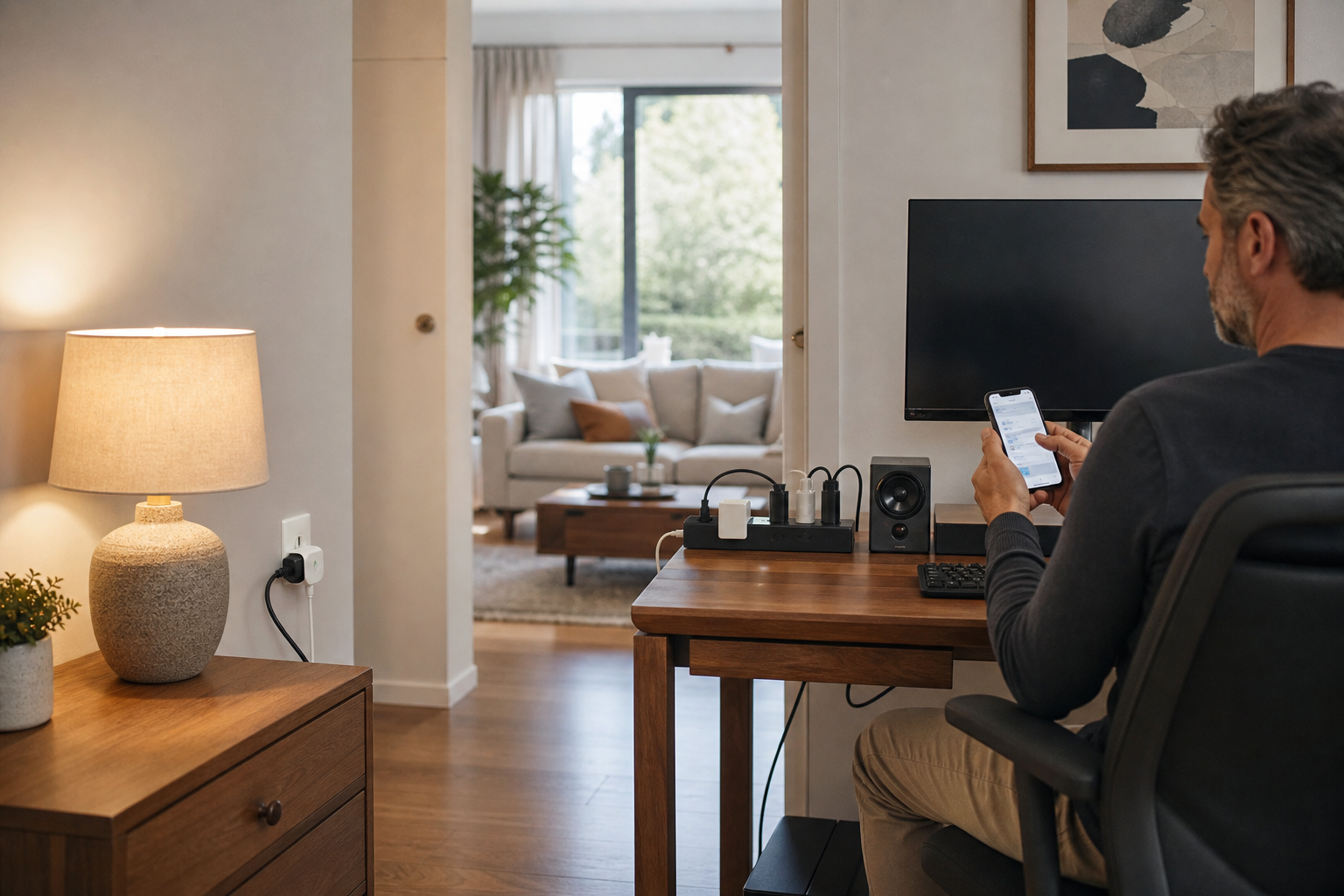
A smart power strip makes more sense when the devices already live together. Think of a home-office desk with a monitor, speakers, desk lamp, and charger; a television console with several accessories; or a seasonal display with multiple plugs. Instead of filling the wall with several smart plugs, one strip can provide multiple controllable outlets in one location. The trade-off is that you now have more outlets, more labels, and potentially more settings to review.
The word simpler can mean two different things. A smart plug is simpler to understand and usually simpler to deploy one device at a time. A smart power strip can be simpler overall when it replaces a collection of separate plugs and lets you manage a group of nearby electronics from one physical location.
- Best for one device: smart plug
- Best for several nearby devices: smart power strip
- Best for the fewest settings: smart plug
- Best for reducing cable and outlet clutter: smart power strip
Why a smart plug is usually the easier first purchase
A smart plug gives you one controllable outlet and one automation target. Current plug models commonly offer app-based remote control, schedules, timers, voice control, and sometimes energy monitoring. For example, TP-Link's Kasa KP115 lists scheduling, timer functions, energy tracking, and compatibility with Alexa, Google Home, and Samsung SmartThings. The exact features vary by model, so check the manufacturer's specifications rather than assuming every smart plug includes them.
Setup is generally straightforward: plug in the device, add it in the manufacturer's app, connect it to the home network, name it, and create a schedule or routine. Some Wi-Fi models require a 2.4 GHz network and a manufacturer account. Matter-compatible models may offer a more unified setup across supported smart-home platforms, but they can still depend on a compatible controller, app, and network.
The main limitation is scale. If you want to automate four devices, you may need four smart plugs, four available wall outlets, and several devices to name and maintain. Multiple plugs can also crowd a duplex outlet or block the neighboring receptacle, although compact designs are available.
- A good fit for lamps, fans, holiday lights, and simple plug-in appliances
- Look for schedules, timers, energy monitoring, and platform compatibility only if you will use them
- Confirm the device fits the wall outlet without blocking the second receptacle
- Avoid assuming that remote power control will make every appliance start automatically
When a smart power strip is the simpler solution
A smart power strip earns its space when several devices share one area and need different control rules. Many models provide independently controlled outlets, so you can schedule a lamp separately from a monitor or turn off entertainment accessories without cutting power to everything. TP-Link's HS300, for example, lists six independently controlled smart outlets, individual scheduling, energy monitoring, USB ports, and surge protection. Other strips may control outlets individually in the app but provide only one physical button for the entire strip, so inspect the controls before buying.
The advantage is consolidation. One network connection and one app entry can manage a cluster of devices, while outlet names such as Desk Lamp, Monitor, Speakers, or Charger make the arrangement easier to understand later. A strip can also provide a cleaner physical setup than several plug-in adapters, particularly behind a desk or media cabinet.
The compromise is that setup is not automatically effortless. You may need to name each outlet, decide which outlets should be always on, and check whether USB ports are separately controllable or simply powered whenever the strip is on. A strip also takes up more physical space and can be harder to replace if one outlet or the internal electronics fail.
- Best for desks, entertainment centers, charging areas, and seasonal lighting
- Check whether outlets are independently controlled or grouped together
- Confirm whether USB ports are smart-controlled, always on, or separate from the app
- Treat the strip's total load limit as a limit for the entire strip, not each outlet
Compatibility matters more than the shape
Both product types can be easy to use when they work with the smart-home system you already use. Before buying, check compatibility with Apple Home, Alexa, Google Home, SmartThings, or another platform you rely on. A device may support voice control through its own app while offering limited or different functionality in a third-party platform. Matter support can improve cross-platform flexibility, but it does not mean every feature will appear identically everywhere.
Also consider the behavior of the appliance itself. A smart plug or smart strip controls electrical power; it does not press a device's electronic power button. Lamps and appliances with a physical on/off switch are often better candidates because they can resume operation when power is supplied. A television or other device with a digital power control may simply return to standby after the smart outlet turns on.
For the simplest routine, choose an appliance that has a clear power state and test it before building an automation around it. If the device requires a remote, touch control, or a software command after power is restored, a smart plug or strip may not deliver the hands-off result you expect.
- Check platform compatibility before purchase
- Look for Matter only if your controller and preferred platform support it
- Prefer devices that reliably operate when power is restored
- Test the appliance manually before creating schedules or voice routines
Safety and load limits should decide the final pick
A smart feature does not change the electrical limits of the outlet, plug, strip, or connected appliance. Check the product's rated amperage and wattage, then compare that with the devices you plan to connect. High-draw heating products such as space heaters, hair dryers, toasters, and electric skillets deserve particular caution; UL Solutions notes that the number of outlets on a strip does not determine how much total power it can safely handle.
Do not daisy-chain power strips, surge protectors, or extension cords. Manufacturer guidance for smart strips commonly requires direct connection to a grounded wall outlet, and TP-Link specifically warns against plugging its HS300 into another power strip, surge protector, or UPS. This is also why a smart plug should not automatically be treated as a way to turn an ordinary power strip into a larger smart strip.
If surge protection matters, verify that the product explicitly includes it rather than assuming every power strip has it. UL Solutions distinguishes an ordinary power strip from a surge protector and recommends looking for an appropriate safety certification mark. Also check the cord, housing, grounding indicator, and indoor-use restrictions before installation.
- Check the total load rating, not just the number of outlets
- Do not plug one power strip or surge protector into another
- Use surge protection only when the product specifically lists it
- Look for recognized safety certification and replace damaged cords or housings
The buying decision in plain English
Buy a smart plug if you are automating one device, want the least complicated setup, or are testing home automation for the first time. It is the better fit for a bedside lamp, floor fan, coffee maker with a physical switch, or one set of holiday lights. Starting with one plug also lets you confirm that your Wi-Fi, app, voice assistant, and appliance all behave as expected before expanding.
Buy a smart power strip if several devices are already clustered together and you want independent control without buying and arranging several individual plugs. It is particularly useful for a desk, media center, charging station, or display where cable management and multiple schedules matter more than absolute simplicity.
If you are undecided, count the devices you want to automate in one location. One device points to a smart plug. Three or more nearby devices usually make a smart power strip worth considering, provided its outlet controls, load rating, safety features, and smart-home compatibility match your needs. In either case, the simplest system is the one that uses fewer unnecessary features and clearly named automations.
- Choose smart plug: one device, one routine, minimal setup
- Choose smart power strip: several nearby devices, separate schedules, fewer wall adapters
- Do not choose based on outlet count alone
- Prioritize reliable appliance behavior and safe electrical ratings over extra app features
Sources & editorial note
This guide is research-based and does not claim hands-on testing unless explicitly stated.
- TP-Link Kasa Smart Plug Setup Guide — Supports typical smart-plug setup steps, 2.4 GHz Wi-Fi requirements, account setup, schedules, timers, and voice-assistant integration.
- TP-Link Kasa KP115 Smart Plug — Supports examples of smart-plug features including energy monitoring, scheduling, voice control, compact design, and electrical ratings.
- TP-Link Kasa HS300 Smart Power Strip — Supports independently controlled outlets, individual scheduling, USB ports, energy monitoring, surge protection, load ratings, and setup details.
- TP-Link HS300 Setup and Direct-Outlet Guidance — Supports the recommendation not to connect the smart power strip to another strip, surge protector, or UPS and the requirement for a grounded wall outlet.
- TP-Link Smart Plug Appliance Compatibility FAQ — Supports the point that appliances may need their physical power button left on to respond when a smart plug supplies power.
- UL Solutions Guide to Power Strips and Surge Protectors — Supports distinctions between ordinary power strips and surge protectors, load-limit considerations, safety marks, and warnings about high-draw appliances.