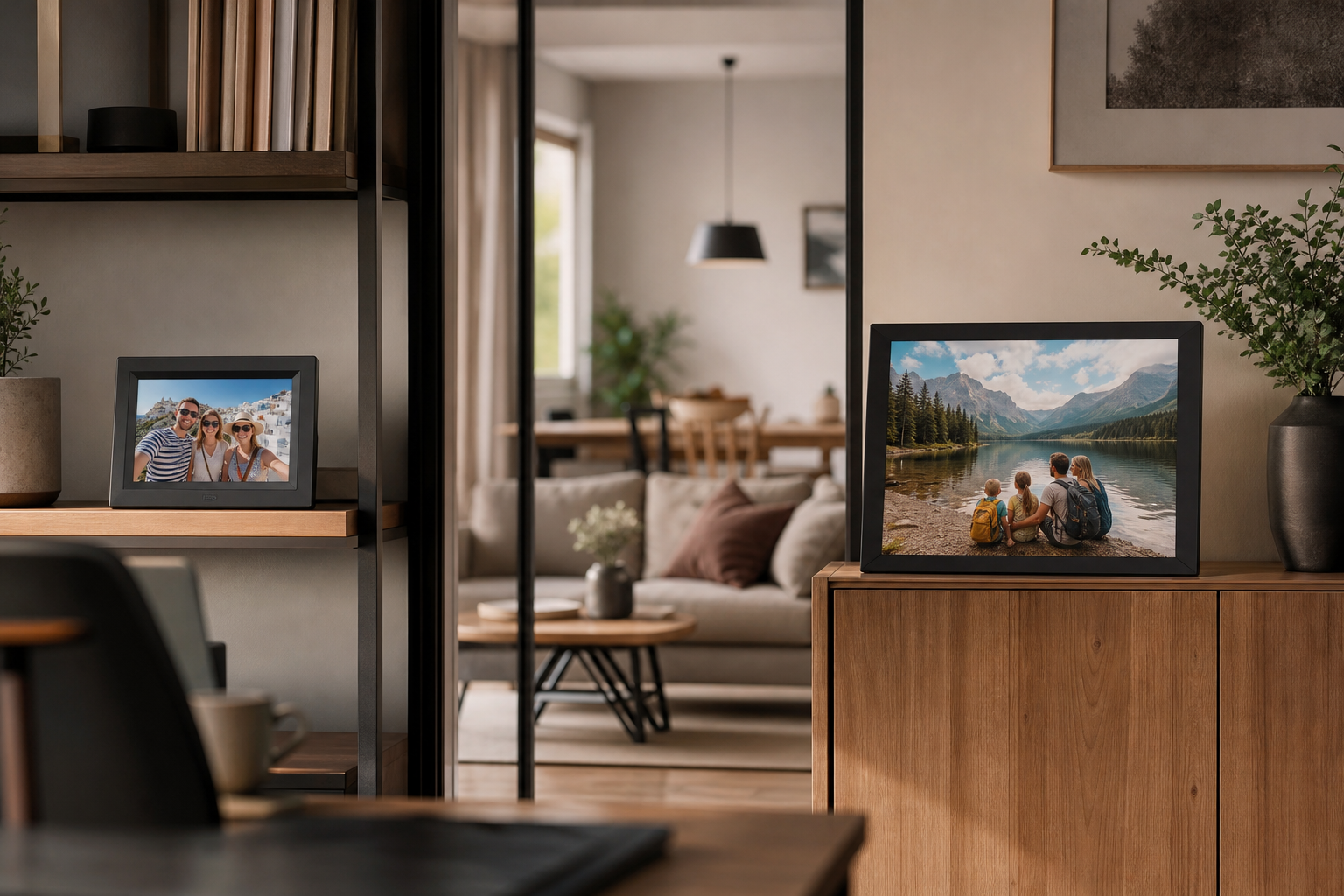
Choose a 10-inch digital photo frame for a personal viewing spot, a smaller surface, or a frame you may move between rooms. Choose a 15-inch model when the frame is intended to act as a visible focal point, especially on a sideboard, console, or wall where people will view it from several feet away. If you are unsure, measure the intended space first: the larger screen can be substantially easier to see, but it also takes up much more room and may weigh several times as much.
What Matters Most
Explore Options That Fit Your Everyday Routine
Explore products that fit your priorities, compare current options and discover what works best for you.
Check prices, seller details and specifications on Amazon. Featured image is illustrative.
As an Amazon Associate I earn from qualifying purchases.
Start with the job: personal display or room-wide gallery?
A 10-inch frame is usually the better fit when the job is to keep photos close at hand. On a desk, bookshelf, bedside table, or kitchen worktop, it can feel like a compact rotating album rather than another large screen in the room. A current 10.1-inch example from Lexar measures about 10.3 inches wide by 7.1 inches high, while Pix-Star lists its 10-inch model at 10.6 by 8.5 inches overall. The exact footprint varies with the bezel and stand, but the category generally fits more easily into everyday furniture. ([americas.lexar.com](https://americas.lexar.com/product/pexar-10-1-digital-picture-frame/))
A 15-inch frame is designed for a different viewing pattern. It is more useful when several people may glance at it from across a room, or when the frame needs to fill an otherwise empty section of a sideboard, hallway console, or wall. A comparable Pix-Star 15-inch model measures 15.3 by 12.1 inches and weighs 3.7 pounds, compared with 1.43 pounds for that brand's 10-inch version. That difference affects not only visibility, but also how confidently you can move or reposition the frame. ([api.pix-star.com](https://api.pix-star.com/frames))
- Best starting point for a 10-inch frame: desk, bedside table, bookshelf, kitchen counter, or smaller shelf.
- Best starting point for a 15-inch frame: living room sideboard, hallway console, dining room, or wall viewed from a distance.
How much larger does 15 inches really look?
The diagonal measurement can understate the practical difference. If two frames use the same aspect ratio, a 15-inch screen is 50 percent wider and 50 percent taller than a 10-inch screen. That means roughly 2.25 times as much screen area. In everyday use, this is the difference between a photo that feels like a small tabletop object and one that can read as part of the room's visual arrangement.
The larger screen is especially helpful when viewers stand several feet away, when the room is open-plan, or when more than one person is looking at the frame at once. It can also make details in group photos, travel scenes, and older scanned images easier to appreciate. However, size alone does not guarantee a better picture: resolution, brightness, viewing angle, anti-glare treatment, and the quality of the source photo still matter.
For example, current products vary widely. One 10.1-inch Lexar model uses a 1280 by 800 display, while Pix-Star's current 10-inch and 15-inch LUX models both list 1024 by 768 resolution. A larger panel with the same pixel count may look less crisp at close range than a smaller panel, so compare resolution as well as diagonal size rather than assuming every 15-inch frame is an upgrade in image detail. ([americas.lexar.com](https://americas.lexar.com/product/pexar-10-1-digital-picture-frame/))
Room placement, furniture, and power access
A 10-inch frame is more forgiving when furniture is already crowded. It can share a nightstand with a lamp, fit beside a monitor, or sit on a narrow shelf without becoming the dominant object. It is also easier to lift when you want to change the orientation, clear dust, or move it temporarily for entertaining.
A 15-inch frame needs a deliberate location. Allow space for the frame itself, the stand or wall hardware, and the power cable. A deep stand can push the screen farther forward than expected, while a wall-mounted frame may need a suitable mounting point and a way to hide or route the cable. Before ordering, use painter's tape to mark the proposed width and height on the wall or furniture. This simple test often reveals whether the larger model will look intentional or oversized.
Weight is another practical distinction. The manufacturer-listed 15-inch Pix-Star LUX is more than twice the weight of its 10-inch counterpart, and the frame is also deeper. That does not make it difficult to use, but it does make placement more of a commitment. For a frame you expect to move often, the smaller size is usually the less cumbersome choice. ([api.pix-star.com](https://api.pix-star.com/frames))
Photo shape matters more than many buyers expect
The screen's aspect ratio determines how your photos fit. A 16:10 or 16:9 frame is naturally suited to wide landscape images, while a 4:3 frame may fit many phone photos more naturally. Current 10-inch examples include both 16:10 displays, such as Lexar's 10.1-inch model and Nixplay's 10.1-inch model, and 4:3 models such as Pix-Star's LUX line. ([americas.lexar.com](https://americas.lexar.com/product/pexar-10-1-digital-picture-frame/))
If your library is a mixture of portrait phone photos, landscape travel pictures, screenshots, and older prints, look for auto-rotation and flexible image-fit settings. Lexar and Nixplay list automatic rotation for portrait and landscape images, while Pix-Star lists both orientations and a 4:3 display. These features can reduce the need to crop everything before loading it, although no frame can make every image fill every screen shape without some combination of cropping, borders, or repositioning. ([americas.lexar.com](https://americas.lexar.com/product/pexar-10-1-digital-picture-frame/))
A larger frame does not solve a mismatch between photo shape and screen shape. If a 15-inch model is widescreen but most of your favorite images are vertical, you may see more empty space or more aggressive cropping. In that situation, a well-designed 10-inch frame with good auto-rotation may show your collection more comfortably than a physically larger screen.
Viewing comfort: brightness, glare, and controls
Because a 15-inch frame is more likely to be viewed from across a room, pay close attention to brightness and viewing angle. IPS panels and anti-glare finishes can help photos remain visible when people are looking from the side or when daylight enters the room. Lexar lists an anti-glare surface on its 10.1-inch model, while Pix-Star lists IPS panels and anti-glare coating across its current sizes. These features are useful at either size, but they become more noticeable when the frame is placed in a bright or shared room. ([americas.lexar.com](https://americas.lexar.com/product/pexar-10-1-digital-picture-frame/))
For a close personal display, touchscreen controls may be convenient, particularly if you want to pause a slideshow, change an album, or adjust settings without reaching for a separate remote. For a larger frame placed on a sideboard or wall, app control, remote management, scheduled sleep, or motion activation may be more useful than tapping the screen itself.
Also check whether the frame needs Wi-Fi for everyday operation or only for adding photos. Some models combine wireless sharing with internal storage, USB, or SD-card support. Lexar lists Wi-Fi, USB, and SD-card connectivity, while Pix-Star lists internal storage and USB or SD support. Those options can be useful if the frame will be placed in a room with unreliable Wi-Fi or managed by someone who prefers simple physical storage. ([americas.lexar.com](https://americas.lexar.com/product/pexar-10-1-digital-picture-frame/))
The direct verdict: which size should you buy?
Choose a 10-inch digital photo frame when you want a flexible, relatively discreet display for one person or a small viewing area. It is the safer choice for a home office, bedroom, kitchen, bookshelf, or compact apartment, and it is easier to move when you rearrange furniture. It also makes sense if your viewing distance is usually within a few feet and you value a smaller footprint over room-filling impact.
Choose a 15-inch digital photo frame when the photos need to be seen without people walking up to the frame. It is the stronger fit for a living room, hallway, dining area, or family space where several people may see it from different positions. The trade-off is a larger footprint, greater weight, more demanding placement, and the need to pay closer attention to resolution and photo cropping.
If both sizes could work, let the room decide rather than the feature list. Mark out the full exterior dimensions, including the stand, and view the proposed location from the chair, doorway, or counter where people will actually see it. For most homes, 10 inches is the convenient personal display; 15 inches is the more visible shared display.
- Pick 10 inches for flexibility, smaller furniture, closer viewing, and easier repositioning.
- Pick 15 inches for visibility across a room, shared viewing, and a more prominent decorative presence.
- Whichever size you choose, prioritize aspect-ratio compatibility, anti-glare performance, orientation support, and reliable photo management.
Ready to Find Your Best Match?
Explore products that fit your priorities, compare current options and discover what works best for you.
Check prices, seller details and specifications on Amazon. Featured image is illustrative.
As an Amazon Associate I earn from qualifying purchases.
Sources & editorial note
This guide is research-based and does not claim hands-on testing unless explicitly stated.
- Lexar pexar 10.1-inch digital picture frame specifications — Supports the 10.1-inch display size, 1280 × 800 resolution, 16:10 aspect ratio, anti-glare surface, auto-rotation, connectivity, and overall dimensions.
- Pix-Star LUX 10-inch, 15-inch, and 17-inch frame specifications — Supports example 10-inch and 15-inch footprints, weights, resolution, 4:3 aspect ratio, IPS and anti-glare features, orientations, storage, and placement guidance.
- Nixplay 10.1-inch Smart Photo Frame — Supports a current 10.1-inch example with 16:10 aspect ratio, 1280 × 800 resolution, auto-rotation, touchscreen, and product dimensions.
- Philips 10-inch Digital PhotoFrame product sheet — Provides an additional manufacturer example of a 10-inch frame with 16:9 ratio, resolution, brightness, viewing angles, and exterior dimensions.